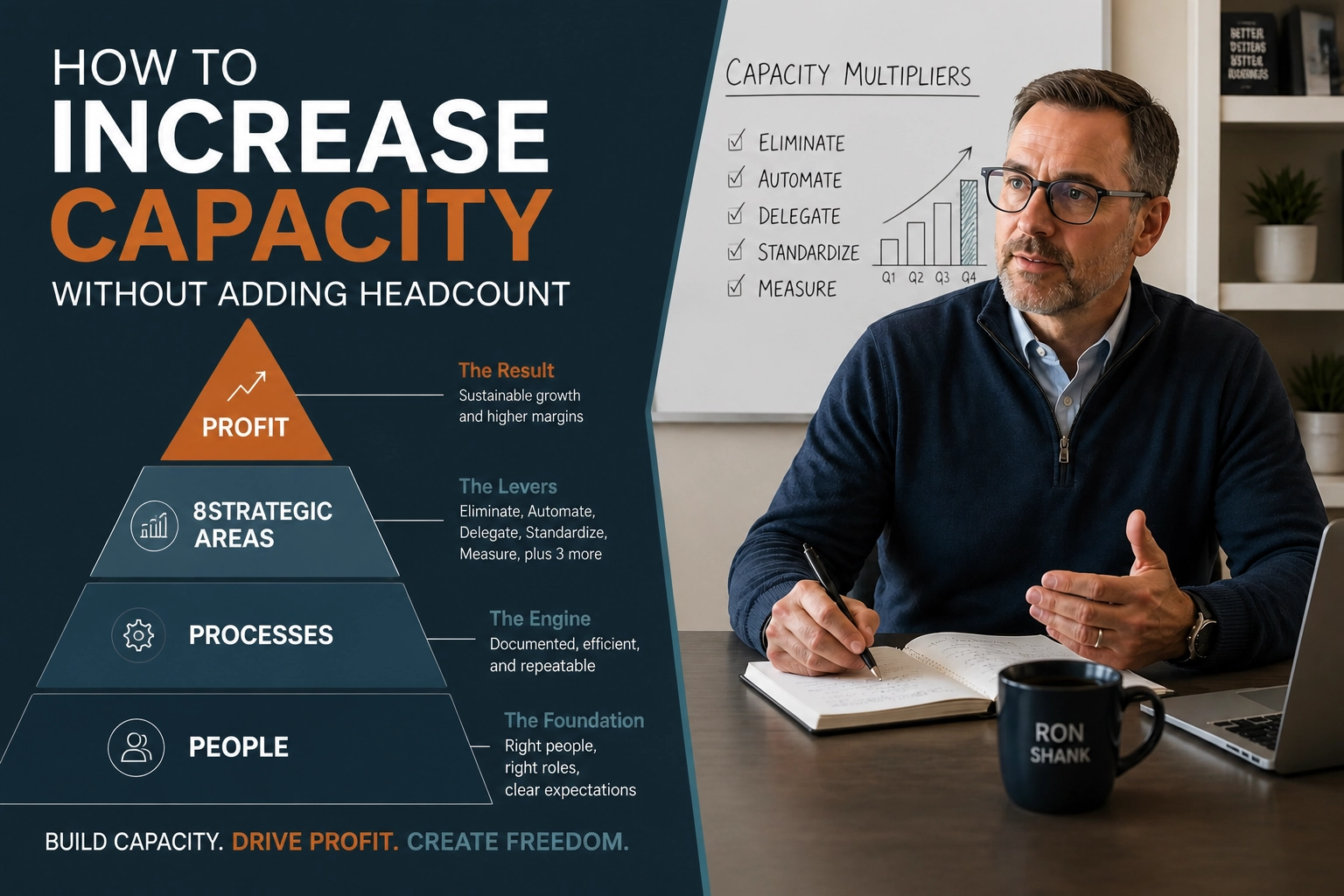
Most business owners assume a capacity problem means they need more people.
That’s rarely true.
In most companies, the real issue isn’t a shortage of staff. It’s a workflow that depends on people doing work a system should be handling.
Adding payroll to fix a broken process usually increases cost faster than it increases profit. You get temporary relief, but the business gets heavier and harder to manage.
The better question is simpler. Where is work getting stuck, repeated, delayed, or dropped?
That’s where automation belongs.
Automation Is a Profit Decision
A lot of advice on this topic gets framed as a software conversation. Pick a platform. Add AI. Connect a few tools. Hope it saves time.
That misses the point entirely.
Automation is a profit optimization decision. If a process can be handled faster, more consistently, and at lower cost without sacrificing quality, it affects both capacity and margin at the same time.
This isn't about chasing a trend. It’s about deciding which work requires human judgment and which work should stop consuming expensive human hours.
Businesses that get this right don't start with tools. They start with economics.

The Common Mistake: Hiring Before Fixing the Problem
When response times slow down or follow-up starts slipping, most owners hire to absorb the pressure. It can help in the short term. But it usually hides the actual issue.
If your team is manually writing the same follow-up messages, re-entering data, chasing scheduling gaps, or rebuilding reports every week, another hire won’t fix the design problem.
It just gives the design problem another salary.
Here is what typically happens:
• Work increases
• Manual steps pile up
• Errors increase
• Leaders hire to keep up
• Profit gets squeezed
The fix is to review the workflow before you expand payroll. Look at repetitive tasks, approval bottlenecks, handoff delays, and communication gaps.
Those are usually the first places where automation can increase capacity without increasing headcount.
Copernicus ran into this kind of problem in astronomy. People assumed the universe revolved around the earth because that was the easiest view from where they were standing.
Business owners do something similar with labor. They assume the answer is more people because that’s the easiest explanation from inside the daily chaos.
It usually isn't. Sometimes the better answer is to redesign the system around the work.
AI Breadth and Human Depth
AI is useful, but not for the reasons most people think.
Its strength is breadth. It can generate options quickly, surface variations, summarize patterns, draft alternatives, and give you multiple ways to approach the same issue.
Human leaders bring depth. They understand customer nuance, deal history, market conditions, timing, internal politics, and tradeoffs that don't show up in a prompt.
That distinction matters a lot.
AI breadth helps you produce more possible answers. Human depth helps you choose the right one.
If you're using AI inside your workflow, don't ask it to replace judgment. Use it to widen the field, reduce low-value manual work, and give the people making real decisions better inputs to work from.
For example:
• In marketing, AI can draft multiple headline options and email variations.
• In sales, AI can summarize calls and suggest follow-up language.
• In service, AI can sort support requests and draft first responses.
• In operations, AI can identify recurring delays or exceptions in a process.
The human role is still essential. Someone has to judge what fits the business, the client, and the moment.

Use the Pathway to Profit System to Find the Right Fit
Most owners ask, "What can we automate?"
A better question is, "Which part of the business is losing profit because manual work is slowing it down?"
That’s where the Pathway to Profit system earns its keep. It evaluates the business through 8 strategic areas:
- Lead Generation
- Conversion Rate
- Closing Rate
- Retention
- Average Dollars Per Sale
- Frequency of Sales
- Fixed Cost Reduction
- Variable Cost Reduction
Here is the formula we use to track progress:
Leads × Conversion Rate × Closing Rate = New Customers
(New Customers + Retained Customers) × Average Dollars Per Sale × Frequency = Revenue
Revenue – Fixed Costs – Variable Costs = Profit
Automation fits differently in each area. Here's where it can increase capacity.
Conversion Rate
If leads are coming in but too many go cold, the problem may be slow response, inconsistent follow-up, or weak qualification.
Automation can route inquiries, trigger immediate responses, schedule next steps, and keep prospects from sitting untouched for two days while everyone’s slammed. This increases your capacity to handle more leads without needing more sales assistants.
Closing Rate
If prospects are making it to sales conversations but not moving forward, review what happens between conversation and commitment.
Automation can handle proposal reminders, follow-up sequences, and task prompts so opportunities don't fall through the cracks. It keeps the salesperson focused on the conversation, not the admin.
Retention
If customers leave because communication is inconsistent or support is reactive, automation can improve the experience.
That includes onboarding sequences, check-in reminders, renewal prompts, and satisfaction surveys. You can keep the experience personal as you serve more clients without adding account managers at the same rate.
Average Dollars Per Sale and Frequency of Sales
If your team is missing cross-sell, upsell, or reorder opportunities, automation can surface them.
Triggered offers based on customer behavior play a role here. It catches revenue opportunities that get missed when no one reviews the account history in time.
Fixed and Variable Cost Reduction
Some of the best wins have nothing to do with AI or customer-facing tools. They are found in reporting, invoicing, internal approvals, and data entry.
This is recurring administrative work that quietly eats margin every week. When you automate these, you often find your current team has more capacity than you realized.
Use AI as a Red Team
Most people use AI like an intern with a keyboard. They ask it to draft content or summarize ideas.
That’s fine, but it’s not the most valuable use. A better role is "Red Team."
In military and strategic planning, a red team pressure-tests the plan. It looks for weak points, flawed assumptions, and blind spots the original team can't see.
AI can do that well if you ask the right questions. Instead of asking it to write a plan, ask it to find the reasons the plan will fail.
For example, you can ask AI to:
• Challenge the assumptions behind a hiring plan.
• Identify failure points in a customer onboarding process.
• Critique a sales script from the buyer’s perspective.
• Find objections your proposal doesn’t address.
• Stress-test a pricing change before rollout.
Most owners and leadership teams don't need more ideas. They need better filters.
Used this way, AI helps you think more clearly. It becomes less of a content engine and more of a pressure-testing tool.
You get better decisions without pretending the machine is the decision-maker.

Where to Start
Don’t begin with software demos. Start with a review of where time is being spent and where margin is being lost.
Here is a practical way to do that:
- List the repetitive tasks your team handles every week.
- Identify which tasks require judgment and which are mostly process.
- Map those tasks to the 8 strategic areas in the Pathway to Profit system.
- Estimate the cost of delay, inconsistency, and manual effort.
- Automate one bottleneck first and measure the result.
Keep it simple. You’re not trying to build a futuristic company over a weekend.
You’re trying to remove avoidable friction from a business that already works.
The Real Goal Is Capacity That Pays
Automation is useful when it helps the business produce more without proportionally increasing cost.
That is the goal. Not more software, not more dashboards, and not AI for the sake of saying you use it.
You want more capacity. Better consistency. Stronger profit.
If you’re solving capacity problems by defaulting to headcount, it’s probably time to step back and look at the system first.
The complete Pathway to Profit system, including worksheets and calculators, is available in my free book at shankcoaching.com.